Now that OpenWRT 8.09 has been released, I finally took the time to write down my notes on how to use it together with the Huawei E220 dongle, which supports 3G/HSDPA.
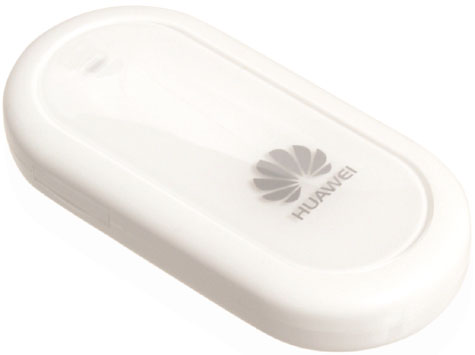
The writeup on how to do this is long, so I put it at a separate page:
http://josefsson.org/openwrt/dongle.html
Hey,
Thanks for the guide!
Do you know if there is any easy way to do this on demand? I mean to use the 3G as a backup for the regular connection. If the normal connection doesn’t work it would automatically (or some other way easily) switch to 3G.
Mikko: Good questions, I don’t think this is easy to achieve with OpenWRT but I’d love to be proven wrong. I am aware of this work but there are no openwrt packages for it:
http://lsm.foobar.fi/
Maybe someone could port it..
/Simon
Good guide. Worked very well. Instead of using usb-serial, you can also use the option driver (depends on usb-serial), which provides better speeds. Didn’t even have to provide vendor/product id with option.
However, even though the modem works, I can’t get it to forward/masquerade traffic to my local lan. Was that never an issue for you?
Hi!
Nice howto! You can use ‘enable’ for init scripts instead symlinking.
Eg. ‘ln -s ../init.d/open-wan-ssh-port /etc/rc.d/S90open-wan-ssh-port’ – ‘/etc/init.d/open-wan-ssh-port enable’. Seems better. 🙂
szögi: thanks! I have updated the writeup.
im testing with an E160 it works.
A notice in the documentation abouth /etc/chatscripts ATDT would be helpful.
Not all providers have the same number. For example “ATDT*99#”
also problems with dns
the ip for the dns servers from my provider 10.11.12.13 are not functional.
i need en entry in /etc/system/network
option ‘peerdns’ ‘0’ and option ‘dns’ ‘ipaddress1’
i need en entry in resolv.conf nameserver ipaddress1
i need en entry in /etc/dnsmasq.conf dhcp-option=6,ipaddress1,ipaddress2
Great, very very nice Simon. Thanks Thanks. A lot of providers use the HUAWEI model E169 (like in my case TIM in ITALY) so I changed the module file as follow:
#####################################
root@caramel:/# cat>/etc/modules.d/60-usb-serial
#for E220
usbserial vendor=0x12d1 product=0x1003 maxSize=4096
#or for E169
#usbserial vendor=0x12d1 product=0x1001 maxSize=4096
root@caramel:/# reboot
#######################################
Thanks for that! Two things: If using ‘ppp0’ the ip forwarding did not work for me – had to use ‘wan’. And my provider needed a ‘username’ and ‘password’ in the ppp0. It could be set to any value but needed to be there.
I read your howto with great interest. I am trying to do somthing similar, that is, use OpenWRT on an ALIX board with Ubiquiti PCI radio as a router to extend range of WiFi for my clients. (see web site). I must have somthing wrong because the wifi network does not get an IP address.
Can you email me a copy of your /etc/config/network and etc/config/wireless. I must be missing somthing. Or, could it be in the firewall? I see your wireless config in the howto but not your network file so these would be most helpful.
Hi Simon,
thanks a lot for your howto. Half a year ago, I spent many hours to get my Asus WL500gp to work with my 3G dongle using some shady czech(?) firmware, but it did’t work. Now with your howto and OpenWrt ist worked straight away, even though my 3G dongle (Web’n’walk Stick IV from T-Mobile Germany) is a Huawei e176 clone, not e220. But vendor/model correspond to your howto (12d1/1003). Odd, but it works. The same with another noname dongle (I’m not even sure it’s Huawei) i tried briefly: it works without modification. So thanks again, nice work.
Greetings, Calin
Hi Simon,
your howto is great!!!
I want use your howto to get my Asus WL500W (n wireless) to work with my Huawey E220 but I would not like to use OpenWRT but X-WRT variant.
Is possible? or I need some modification of the procedures?
Thanks in advance
Carlo
Hello Simon,
I just would like to congratulate you on this tutorial, it helped a lot! Keep up the good work!
Great guide, thanks a lot!
But: cat somefile| sed dosomething > somefile isr pretty useless. The easiest way is: sed -ei s/search/replace/n somefile.
i’ve applied successfully your guide.
I have a billing plan that is flat only if i’m connected to a specific network (HSDPA, 2100MHz, provider:TRE)
is there any way to add support to check/configure the network settings of the usb modem (better if via the webGUI)?
Thank you in advance
Davide
I can not connect 3g
pleas help me.
What is the problem?
[/config/network]
config ‘interface’ ‘ppp’
option ‘ifname’ ‘ppp’
option ‘proto’ ‘3g’
option ‘device’ ‘/dev/ttyUSB1’
option ‘username’ ‘MOVISTAR’
option ‘password’ ‘MOVISTAR’
option ‘apn’ ‘movistar.es’
[ifup ppp]
SIM ready
PIN set successfully
[logread]
Jan 1 00:16:05 OpenWrt local2.info chat[1545]: abort on (BUSY)
Jan 1 00:16:05 OpenWrt local2.info chat[1545]: abort on (NO CARRIER)
Jan 1 00:16:05 OpenWrt local2.info chat[1545]: abort on (ERROR)
Jan 1 00:16:05 OpenWrt local2.info chat[1545]: report (CONNECT)
Jan 1 00:16:05 OpenWrt local2.info chat[1545]: timeout set to 10 seconds
Jan 1 00:16:05 OpenWrt local2.info chat[1545]: send (AT&F^M)
Jan 1 00:16:05 OpenWrt local2.info chat[1545]: expect (OK)
Jan 1 00:16:05 OpenWrt local2.info chat[1545]: AT&F^M^M
Jan 1 00:16:05 OpenWrt local2.info chat[1545]: OK
Jan 1 00:16:05 OpenWrt local2.info chat[1545]: — got it
Jan 1 00:16:05 OpenWrt local2.info chat[1545]: send (ATE1^M)
Jan 1 00:16:05 OpenWrt local2.info chat[1545]: expect (OK)
Jan 1 00:16:05 OpenWrt local2.info chat[1545]: ^M
Jan 1 00:16:05 OpenWrt local2.info chat[1545]: ATE1^M^M
Jan 1 00:16:05 OpenWrt local2.info chat[1545]: OK
Jan 1 00:16:05 OpenWrt local2.info chat[1545]: — got it
Jan 1 00:16:05 OpenWrt local2.info chat[1545]: send (AT+CGDCONT=1,”IP”,”movistar.es”^M)
Jan 1 00:16:05 OpenWrt local2.info chat[1545]: timeout set to 30 seconds
Jan 1 00:16:05 OpenWrt local2.info chat[1545]: expect (OK)
Jan 1 00:16:05 OpenWrt local2.info chat[1545]: ^M
Jan 1 00:16:05 OpenWrt local2.info chat[1545]: AT+CGDCONT=1,”IP”,”movistar.es”^M^M
Jan 1 00:16:05 OpenWrt local2.info chat[1545]: OK
Jan 1 00:16:05 OpenWrt local2.info chat[1545]: — got it
Jan 1 00:16:05 OpenWrt local2.info chat[1545]: send (ATD*99***1#^M)
Jan 1 00:16:05 OpenWrt local2.info chat[1545]: expect (CONNECT)
Jan 1 00:16:05 OpenWrt local2.info chat[1545]: ^M
Jan 1 00:16:05 OpenWrt local2.info chat[1545]: ATD*99***1#^M^M
Jan 1 00:16:05 OpenWrt local2.info chat[1545]: NO CARRIER
Jan 1 00:16:05 OpenWrt local2.info chat[1545]: — failed
Jan 1 00:16:05 OpenWrt local2.info chat[1545]: Failed (NO CARRIER)
Jan 1 00:16:05 OpenWrt daemon.err pppd[1474]: Connect script failed
Thanks for the very clear instructions. It’s been working for me for about one week now with an Australian Virgin Mobile supplied Huawei E1762 USB broadband dongle. Throughput is pretty much the same as under Windows.
One problem is that it seems to disconnect from the internet after about one day or so. It comes back online after rebooting the router.
What would be the easiest way to monitor the health of the connection and reboot if the connection drops out for say 5 minutes – and then continues rebooting if the connection doesn’t come back 5 minutes after reboot?
Cheers,
Phil
2 pepenue
I had the same shit. The problrem was in following line
option ‘device’ ‘/dev/ttyUSB1′
Just try ttyUSB0
‘device’ ‘/dev/ttyUSB0′
It works for me.
I used D-Link DIR 320 with Huawei E219 3g modem.
Btw the pincode was desibled.
Great guide, thanks a lot!
But I am still having troubles logging into the router using SSH from an foreign internet address.
Wenn I am using the WAN port and also connect this port wired, than everythings working fine.
As soon as I am switching on to the 3G connection, I can access internet, but can’t access the router with SSH over the internet.
Do you have any idea? Hope so…
Kind regards
Jeffrie
Thanks for the great guides – we’ve been using it for a few years now on 7.09 (Kamikaze) with no problem on a WRTG54G3G
However, today I tried installing 10.03 (Backfire) and it refuses to see the PCMCIA card (I have tried a Huawei E800 and E620)
root@router:~# cardctl status
no pcmcia driver in /proc/devices
root@router:~# opkg list-installed | grep pcm
kmod-pcmcia-core – 2.4.37.9-1
kmod-pcmcia-serial – 2.4.37.9-1
pcmcia-cs – 3.2.8-1
root@router:~# uname -a
Linux router 2.4.37.9 #42 Tue Apr 6 15:59:04 CEST 2010 mips GNU/Linux
Any ideas, please?!
Just to feedback…. All I had to do was run:
insmod ds
…and that fixed the probelm
“ssh -l root caramel.local (replace caramel with the name of your router).”
is not working even after avahi-daemon installing.
/etc/chatscripts needs to be fixed for Huawei E1550 to replace AT&F with plain ATZ. Also 3G_ONLY AT command would be helpful.
/dlink dir-320 + huawei e1550 unlocked.
Hi Simon,
how i can send SMS?
openwrt+3G+motion = mini alarm system.
Thanks for the excellent guide!
On a Netgear WGT634U running Backfire 10.03.1-rc3 I needed to add a “sleep 10” in /etc/init.d/huaweiAktBbo after “huaweiAktBbo”. Otherwise the “ifup wan” from /etc/init.d/wan happens too fast, before the new /dev/ttyUSBx are created.
I tried ur how to with my Asus WL500 GP V2. I have a Huawei E122.
I was able to go till the Opkg Update command. Inspite my modem(always on) was connected to the WAN port of my router I was not able to connect to the internet to download the packages. The net was working on other parallel connections from my modem though.
Can U please point out if I have missed anything?
Also please confirm if you /anyone else you know has tried this with a 500GP V2 or even with a Huawei E122.
I am trying hard to get this done as I need this badly… Please reach me… Thanks in advance.
BTW nice and simple article. I appreciate it.
I want to install a WIFI camera with a 3G router, which should allow me to reconnect/disconnect from WAN according to my SMS remote command. I want to implement this since cost is quite important for a remote surveillance node.
Do OpenWRT and its supporting applications support this feature? According to my survey, SMS sending is all right, but how about the SMS receiving from all major dongles for WCDMA/CDMA2000? How about its web GUI for such feature?
Hi,
Can you please update if this can work with my router. ASUS 500 GP V2.
I have Huawei E122.
I tried to post a comment on Dec 28 but u have not yet replied….
I hope u find some time to reply this one atleast.
Has anyone else here tried it on a ASUS 500 GP V2 router??
Hi Simon,
I have put 3 comments and even after more than a month you cant reply them….
Are you really so busy or this is just arrogance
@Ravi : Is working also with version 2 of Asus WL500GP
Hello! Nice tutorial but I have a question regarding openwrt 10.03 on asus wl-500gP v1: how did you mange to setup broadcom wireless B4318 on 2.6 kernel? Thanq you!
Hello. Thanks for a great howto.
Two notes though.
The rc3 of 10.3 have some important fixes. Use that instead.
The package ez-ipupdate looks like it isn’t supported any longer. You should use luci-app-ddns or just ddns-scripts if you don’t want the gui part.
I have also added IPv6, which vorks great.
About the firewall, you might want to add ppp0 into the wan group. Then the firewall will use same rules as for the ordinary wan.
If you want to know how I did IPv6 in 10.3 rc3, just send me a mail. That would be a great addition to your HowTo.
Yours.
yes it work fine on wrt160NL backfire 10.03 and E180 Huawei
don’t work with
calcomm 3G cdma Model GI0225 Bougues
huawey E1552
Thank’s a lot
next step => multiwan on openwrt
have a
Thanks for the tutorial, even after being several years old it still helped me to make my setup boot with your scripts. I had it working before but sometimes had to boot several times before the modem started to work. Now with your init-scripts and de huwei-tool it starts right up.
I’m using Asus WL500Gpv1 and Backfire. Also made a script and a webpage to control the monthly data-limit. It even email me (on my iPhone) when on 80% of the limit. With the use of 1-Wire electronics and a LCD-display it is even showing info on top of the box. Not only a useable asset but also a nice box to play around with for a electronics-nerd. Great fun for the family to have internet in our summer-house.
Thanks, Ed
i need help in reverting back to the default os for Linksys wrt54g3g
its currently running OpenWRT
Hi Simon, congratulations for de tutorial “Wireless Router with a 3G/UMTS/HSDPA dongle”.
Of the various articles available on the internet, just your walkthrough was really correct.
3g dongle is working correctly on a router TP-LINK TL WR2543ND.
The only thing I still have not been the router alternates between Wan and 3g.
For example, if the network cable was connected to Wan, the ppp0 would be DOWN. And if the network cable was not connected to the WAN, automatically enters the 3G dongle.
Any suggestions? Thank you.